

A focus journalfor Apple Watch
ZoMe estimates possible focus periods on your watch from the health and motion records you allow, and keeps them as a day, a month and a slowly growing stack of stones.
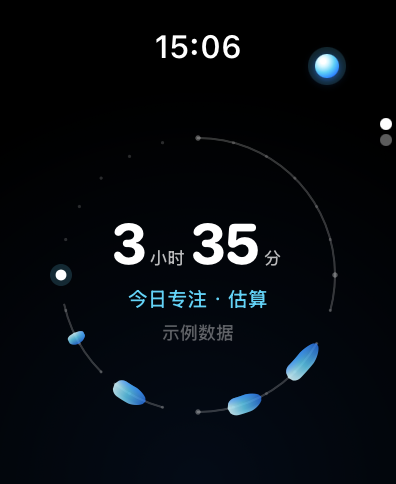
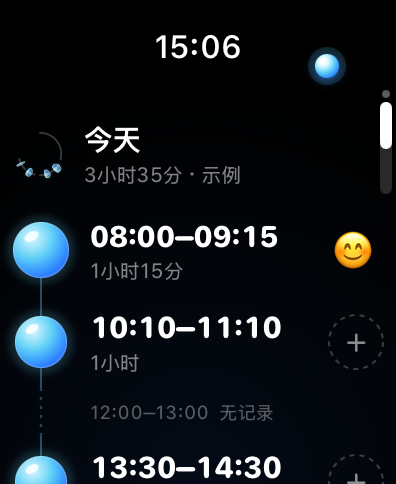
Look back at one day
On the watch a day is a ring. Here it lies flat as a horizon. Drag the drop, tap a period or use the arrow keys.
Interactive example · 2026-11-17
Estimated focus
08:00–09:15
1 h 15 min
Estimated on the watch as possible focus from available heart rate, steps and stationary/moving history. Quiet entertainment, travel or rest can look similar.
You picked this emoji on your watch
75 minutes so far, 7 drops
A month of water levels
Each date is a small pool. Its level is that day's estimated focus as a share of 6 hours. Tap a date to open it.
Interactive example
November 2026
17 November · Tuesday
3 h 35 min
Level 60% · 6 hours is full · 21 drops that day
You picked this emoji on your watch
See this day's periods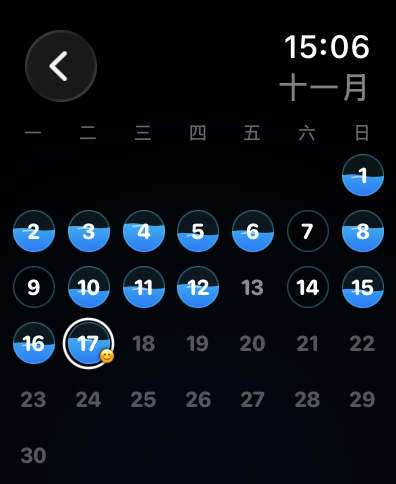
Ten minutes, one drop
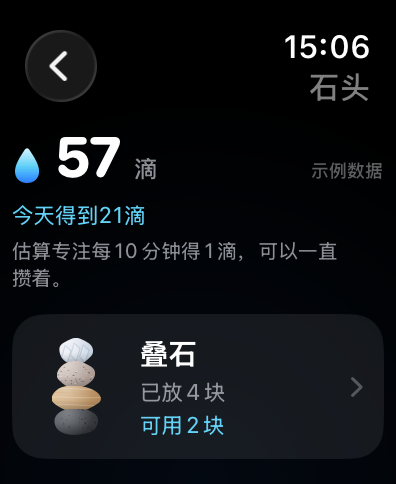
Every 10 complete minutes of estimated focus earns one water drop. Unknown time earns nothing. Drops keep, and turn into stones.
Interactive example
21 drops5 more minutes to the next drop
Example balance: 36 drops before, plus 21 on 17 November, makes 57.
Interactive example
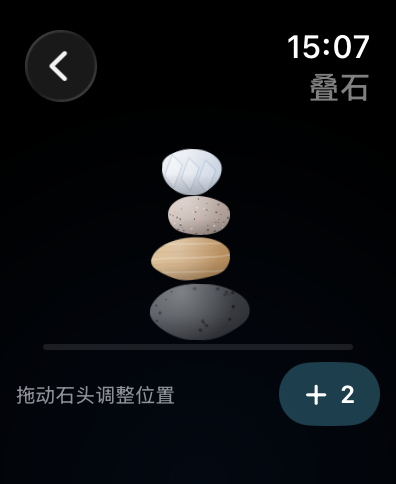
4 stones placed
Stack your stones
Stones you collect can be dragged into a cairn of your own. This is a web demo and does not sync to your watch.
Drag a stone with touch or mouse, or Tab to a stone and move it with the arrow keys. Hold Shift to move further.

Records stay on the watch
- Processed on the watch
- Health and motion records are processed locally on your watch. The app has no developer account system and does not upload these records to our servers.
- An experimental estimate
- ZoMe provides experimental focus estimates, not an attention measurement or a medical diagnosis. Coverage measures data completeness, not accuracy.
- HRV is shown on its own
- Heart rate variability is displayed separately and is not used to estimate focus.
- Unknown stays unknown
- When usable data is missing, ZoMe keeps the time unknown instead of calling it unfocused.
- No uploads, no tracking
- There are currently no developer-server uploads, ads or third-party analytics SDKs. This site adds no analytics either.