
Support
Help with health permissions, record updates and your stone collection.
Common questions
-
Open ZoMe on Apple Watch and tap 连接健康数据 (Connect Health Data). Choose which data to allow in the system permission sheet. Wear your watch normally, then open the app again. When there is not enough usable evidence, the app leaves that time unknown. ZoMe is an independent watch app and does not require a developer account.
-
Check that your watch is unlocked and worn normally, with Wrist Detection and heart rate enabled. Review ZoMe’s read permissions in the iPhone Health app and its Motion & Fitness permission in system settings. Data may arrive with a delay. In ZoMe, open 设置 (Settings) and tap 立即更新 (Update Now). A missing estimate does not mean you were not focused.
-
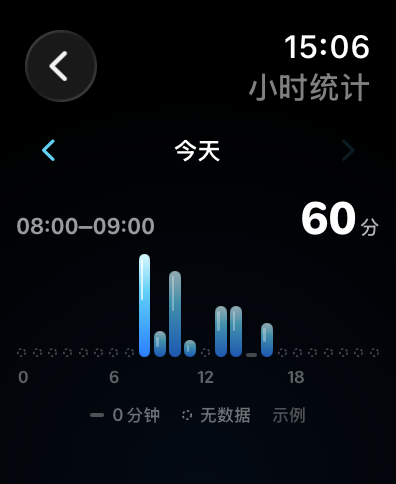
ZoMe uses available heart rate, step count, sleep, workout and stationary/moving history to estimate possible focus periods locally. Quiet entertainment, travel or rest may produce similar signals. HRV is displayed separately and is not used to estimate focus. Coverage measures data completeness, not accuracy.
-
The app attempts to refresh and reanalyze history when you open it. watchOS controls background refresh and HealthKit notifications, so updates are not guaranteed to be real-time or occur at fixed intervals. Open the app or choose 立即更新 (Update Now) in 设置 (Settings) when you need a fresh result.
-
Each 10 complete minutes of eligible estimated focus earns one water drop. In 石头 (Stones), invest drops toward stones, view your collection and arrange stones by dragging them in the cairn view. Drops are an in-app record mechanism, not money, and cannot be withdrawn as cash.
-
You can withdraw read permissions in the Health app or system settings at any time. This does not automatically remove existing local summaries. Emoji annotations can be managed in the app. The current version has no one-tap reset for all data. Deleting ZoMe from Apple Watch removes its local app data without deleting the original data in Health. System backups follow Apple’s settings and policies.
-
The main interface in version 0.3.0 is Simplified Chinese. The app supports compatible Apple Watch models running watchOS 10 or later. This support site is available in Chinese and English. English store images use English feature captions while showing the current Chinese interface.
-
ZoMe has no developer-operated account sync or cloud restore service. Please do not delete the app as a first step when troubleshooting an ordinary refresh issue. Restoration after reinstalling depends on Apple’s device backup and restore mechanisms and cannot be guaranteed by ZoMe.
No matching questions. Try “permission”, “update” or “stone”, or contact the developer below.
Choose a question to read its answer here.
Contact the developer
Include your Apple Watch model, watchOS version, app version and the steps that led to the issue. You may attach screenshots with personal details removed. Raw health records are not needed.
The public contact email is being confirmed.